
Included as standard
Your patients,
self-served
ZenOptix includes a patient portal as standard, not a bolt-on. Your patients book their own appointments around the clock, see their prescriptions and appointment history, and keep their own contact details up to date. Fewer phone calls for your team, and a practice that feels modern to the people who use it.

What is the ZenOptix patient portal?
The ZenOptix patient portal is a secure online area where your existing patients book appointments 24/7, view their prescriptions, appointment history, shared documents and shared clinical images, and update their own contact details and communication preferences. It is included with ZenOptix as standard, hosted in the United Kingdom, and controlled by the practice: patients cannot choose a clinician, and cancellation or reschedule requests come to your team for approval.
Appointments & diary Website booking widget SMS & email communications Pricing
Practice in control
Self-service for patients, control for the practice
Booking that respects your diary
Only your bookable slots, only patients already on your books, and never a patient choosing their own clinician.
Changes still come through you
Cancellation and reschedule requests arrive for your team to approve, so nothing moves without the practice knowing.
Share what you choose
Prescriptions, documents and clinical images are visible only when your practice makes them visible, image by image.
In your name
Every portal email carries your practice name, your logo and your branch reply-to address.
How it works
Two ways to open your diary, both on your terms
Any available slot
Patients book into any slot you have made bookable, within your opening hours and staffing coverage.
Published clinic sessions only
Patients book only into the sessions you publish, so online booking is limited to the clinics you have deliberately opened.
Assignment stays with the practice
Bookings arrive unassigned for reception to assign, or are auto-assigned from the rota. Examiner coverage rules still apply, so an uncovered slot is never offered.
Patient booking · Riverside
Practice queue · Portal requests
Book around the clock
Appointments booked at 10pm on a Sunday, without a phone call on Monday morning.
See appointments
Upcoming and past visits in one place, with the branch and time confirmed.
View prescriptions
Patients arrive already knowing their prescription, which shortens the conversation at the desk.
Read shared documents
Letters and documents your practice has chosen to share, kept with the record.
See shared clinical images
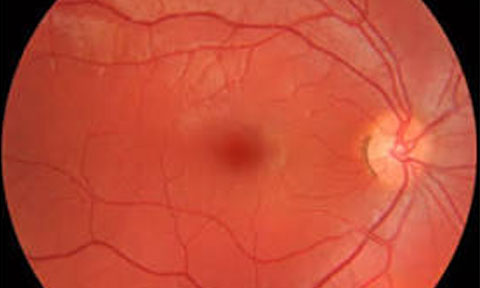
Fundus photos and OCT images, visible only when the practice shares them individually.
Update their own details
Contact details and communication preferences stay current without staff rekeying them.
For your patients
Everything they normally ring you about
Where the time goes back
- Out-of-hours bookings your team wakes up to, already in the diary
- Fewer "what was my prescription?" calls at the front desk
- Contact details corrected by the person who owns them
- Reschedules handled as a queue, not an interruption
Trust
Patient data handled the way it should be
UK-based hosting
ZenOptix runs on UK-based infrastructure and practice and patient data stays in the United Kingdom.
Built around UK GDPR
Consent, opt-out, retention and subject access request workflows are designed into the product.
Verified access only
Portal access needs an existing record and a verified link, and stays scoped to that patient.
Audit-focused by design
Portal activity and approvals are recorded alongside the rest of the practice audit trail.
Read more about how ZenOptix handles access, auditing and patient data on the security page.
And for the patients you do not have yet
The portal is for people already on your books. The ZenOptix website booking widget covers everyone else: two lines of code on your own practice website let a visitor request an appointment from your real availability, for your team to accept.
FAQ
Patient portal questions, answered
No. Only patients who already have a record at your practice and a verified portal link can sign in and book. The portal cannot create bookings from people who are not on your books, so it never fills your diary with junk appointments.
No. Patients never pick a clinician. Bookings arrive unassigned for your reception team to assign, or are assigned automatically from the rota you have already set.
Cancellation and reschedule requests are sent to the practice for approval rather than changing the diary directly. Your team reviews the request and decides, so nothing moves without the practice knowing.
Upcoming and past appointments, the prescriptions you have issued, documents you have shared and any clinical images your practice has explicitly chosen to share, image by image. Records are visible only when someone at the practice makes them visible.
No. The patient portal is included as standard with ZenOptix rather than sold as a bolt-on module.
From your practice. Portal emails carry your practice name, your logo and your branch reply-to address, so patients see your brand rather than ours.
Through the ZenOptix website booking widget, which you paste into your own practice website. It offers the same real availability and collects a name and phone number, but creates a request your team accepts rather than a confirmed booking. The portal serves the patients you already have; the widget serves the people who have not walked through your door yet.
ZenOptix is hosted in the United Kingdom and patient data stays on UK-based infrastructure. Access is role-based and audit-focused, and the portal is built around UK GDPR obligations including consent, opt-out and subject access request handling.
See the patient portal from both sides
Book a demo and we will show you the patient view and the approval queue your reception team works from.